
231-941-0215 sale@namkeenmachine.com 2707 Aero Park Drive Traverse City, MI
Eng
  • Eng
  • Deu
  • Fra

How to Choose the Right Smart Switch

Choosing the right Smart Switch starts with the wiring behind your wall, not the app on your phone. A switch that looks simple can depend on a neutral wire, a compatible bulb, and a particular wireless connection. Check those details before comparing features. A sleek control panel is no help if it cannot operate your lights reliably.

The energy context is significant. The International Energy Agency’s Global Status Report for Buildings and Construction 2023 estimates that building operations account for about 30% of global final energy consumption and 26% of energy-related emissions. A smart switch cannot solve that challenge alone. It can, however, make everyday lighting easier to control, schedule, and switch off when rooms are empty. Small changes matter.

Begin with the actual setup. Note whether your switch box has a neutral wire, identify the bulbs and fixtures, and consider whether you need dimming, voice control, or remote access. Then compare Wi-Fi, hub-based, and Matter-compatible models against your existing devices. Check load limits and manufacturer guidance, especially for LEDs and multi-way circuits. For uncertain or complex wiring, consult a qualified electrician.

Convenience is only part of the decision. App support, privacy practices, firmware updates, and continued service also deserve attention. Some products promise effortless automation, yet setup can still be fiddly. That is worth admitting. The best choice is the one that fits your home’s wiring, lighting, and habits—and keeps working after the novelty fades.
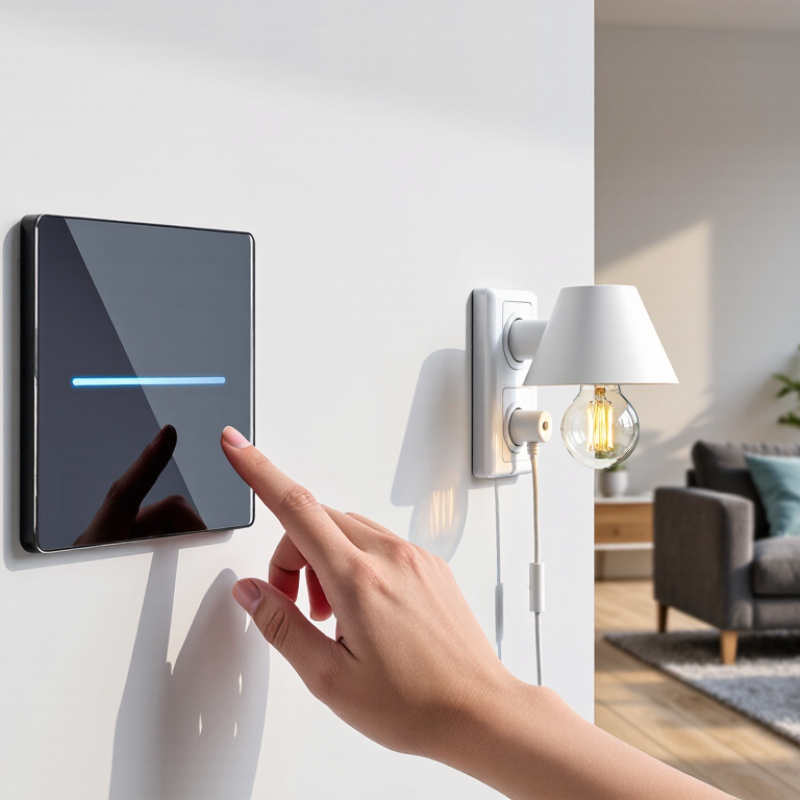
How to Choose the Right Smart Switch

Identify the circuit voltage: residential systems commonly use 120 V or 230 V

How to Choose the Right Smart Switch

A smart switch must match the voltage of the circuit it controls. Many North American homes use 120-volt lighting circuits, while 230-volt systems are common in other regions. The International Electrotechnical Commission’s IEC 60038 standard specifies 230/400 V as standard nominal values for low-voltage supply systems. These figures describe supply systems, not every individual circuit. Check the switch box or electrical documentation, and confirm the circuit voltage with a properly rated meter if you are qualified to do so. Do not guess.

Voltage mistakes can cause a switch to malfunction, overheat, or fail. A switch marked for 120 V is not automatically suitable for a 230 V circuit, even if its shape fits the wall plate. Check the product’s voltage range and the circuit’s measured supply before installation. Also note whether the circuit is single-pole or multi-way; voltage alone does not establish compatibility. That detail is easy to miss. I would not rely on wire color or a neighboring switch as proof of voltage. If the reading is unclear, stop and ask a qualified electrician to verify it. A short check is worth the pause.

How to Choose the Right Smart Switch

Identify the circuit voltage before choosing a switch. Typical residential systems use nominal voltages of 120 V or 230 V, depending on the country and circuit.

These are common nominal supply voltages, not a complete list of regional standards. Check the circuit and switch specifications before installation.

Match the switch rating to the circuit and the connected load

A smart switch must suit both the circuit and the load it controls. Check the switch’s rated voltage and current, then compare them with the circuit and the device label. A 15-amp switch is not automatically suitable for every 15-amp circuit. The load type matters too. Motors, fans, and some LED drivers can draw a brief surge when they start. That small detail is easy to miss.

Read the product specifications for the exact load category, not just the headline rating. A switch marked for resistive lighting may not be rated for a motor. Dimming adds another check: the dimmer must support the lamp type and its minimum load. If several lights share the switch, add their stated wattage or current. Leave sensible headroom when the manufacturer specifies it. More capacity is not a substitute for compatibility.

Also confirm the wiring requirements, such as whether a neutral wire is needed, and whether the switch is designed for the circuit’s voltage and number of poles. Turn off power at the breaker before inspecting wiring, and verify it is off with a suitable tester. If the circuit details are unclear, ask a qualified electrician rather than guessing. I’ve found that labels can be confusing, and a quick second check is worth the pause. A warm switch or unexpected flicker is a warning, not something to ignore.

Check neutral-wire, bulb-type, and dimmer compatibility before buying

How to Choose the Right Smart Switch

Before buying, check whether the switch box has a neutral wire. Many smart switches need one to stay powered, while no-neutral models can have narrower compatibility. Turn off power before inspecting the box, and never identify wires by color alone. Wiring can vary. If you are unsure, ask a qualified electrician rather than guessing.

Next, match the switch to the bulbs and fixture. A dimmer should be paired only with bulbs labeled dimmable, and its specifications should list support for your bulb type, such as LED or incandescent. The U.S. Department of Energy says LEDs use at least 75% less energy than incandescent lighting and can last up to 25 times longer. That makes LED compatibility especially worth checking. Some LEDs may flicker, buzz, or glow faintly when paired with an incompatible dimmer.

Also check the dimmer’s minimum load and maximum wattage against the lamps in the room. A single low-wattage LED may fall below the minimum load. If you plan to use smart bulbs, remember they generally need constant power; a wall dimmer can interrupt their controls. Labels help, but they do not answer every wiring question. Verify the switch instructions before purchase.

How to Choose the Right Smart Switch — Check Neutral-Wire, Bulb-Type, and Dimmer Compatibility Before Buying
Use case Neutral-wire check Bulb compatibility Dimmer compatibility What to verify before buying
Standard on/off smart switch Many models require a neutral wire; some are designed to work without one. Usually works with compatible LED, incandescent, or other listed lamp types. Does not provide brightness control. Use with non-dimmable bulbs if desired. Check the product’s wiring diagram, supported load types, and minimum or maximum load ratings.
Smart dimmer with LED bulbs Neutral-wire requirements vary by model. A no-neutral dimmer may have specific load requirements. Use dimmable LED bulbs. Some combinations may flicker, buzz, or have a limited dimming range. Both the dimmer and bulbs must be rated for dimming; check any stated compatibility list. Confirm the dimmer’s LED load range and whether a minimum load or bypass accessory is required.
Smart dimmer with incandescent or halogen bulbs Check the model’s wiring requirements; do not assume all dimmers work without a neutral. Incandescent and halogen bulbs are generally dimmable, subject to the dimmer’s ratings. Verify the dimmer supports the bulb type and the total wattage connected to it. Stay within the rated load and confirm the bulb voltage matches the electrical system.
Switch controlling non-dimmable LED or CFL bulbs Follow the switch’s neutral-wire requirements. Typically suitable for on/off control when the switch explicitly supports that bulb type. Do not use a dimmer unless the bulbs are marked dimmable and are compatible with that dimmer. Choose an on/off switch, or replace the bulbs with compatible dimmable models before installing a dimmer.
Switch controlling smart bulbs Depends on the smart switch’s wiring design. Smart bulbs generally need continuous power to remain connected and respond to app or voice commands. A conventional dimmer can interrupt power or send incompatible power levels; avoid it unless specifically supported. Use a control designed to keep the bulbs powered, or choose ordinary bulbs with a compatible smart switch.
Three-way lighting circuit Neutral availability can differ between the switch boxes in the same circuit. Check bulb compatibility for the selected switch or dimmer. Use a smart model explicitly rated for three-way wiring; some require a companion control. Identify the circuit arrangement and check the manufacturer’s wiring instructions before purchase.
Safety note: Wire colors and box layouts can vary. Turn off power at the breaker and verify it is off before inspecting wiring. If you cannot identify the wires or circuit type, consult a qualified electrician.

Compare control options: 2.4 GHz Wi‑Fi, Zigbee, Thread, and Matter

A 2.4 GHz Wi-Fi switch connects directly to your home network, so it may not need a separate hub. That keeps setup simple. Check the signal at the wall box, not just beside the router; dense walls can weaken it. Several connected devices may also add traffic to a busy network.

Zigbee and Thread use low-power mesh networks, where compatible devices can relay signals around a home. Zigbee usually needs a hub that supports the same system. Thread needs a border router to connect its mesh to your wider network. Both can suit larger setups, but buying one switch alone may not reveal the extra equipment you need. Check the wiring, too. Some switches require a neutral wire, which older boxes may lack.

Matter is an interoperability standard, not a wireless signal. Matter devices communicate over Wi-Fi or Thread, so the label alone does not tell you which network a switch uses. Look for the connection type and required controller before buying. A paper specification cannot show how well a device handles your actual walls, router placement, or household routines. That deserves a little skepticism. Choose the simplest setup that fits your wiring and existing network, while leaving room to add compatible devices later.

Verify safety certification, such as UL 20 or IEC 60669-1

When choosing a smart switch, check its safety documentation before comparing app features. Look for evidence that the exact model was evaluated to UL 20 or IEC 60669-1, as applicable in your region. These standards address safety requirements for switches used in household and similar electrical installations. A standard number printed on a box is not enough; match it to the model number on the product and its instructions.

Check the certification mark and verify the listing through the relevant certification body’s public directory, when available. Read the installation guide, too. A certified switch can still be unsuitable for your wiring, electrical box, or lighting load. For example, some models require a neutral wire, while others may not support certain dimmable lamps. I have seen shoppers overlook tiny model suffixes. They can matter.

Tips: Keep a photo of the label and the product documentation. Confirm the switch’s voltage and load ratings match your circuit, and ask a qualified electrician if the wiring is unclear. Certification is reassuring, but it does not guarantee compatibility or correct installation. I might be tempted to trust a familiar logo alone; that is worth questioning.

Article Source: